Steal a Superpower Free Legend Pack: How to Claim It
Like the game and join the group to claim Steal a Superpower's free Legend Pack, then redeem codes in the Codes menu for extra packs and potions.
Quick answer
Hit Like on the official Steal a Superpower Roblox page and join developer 11 R$ Productions' group — those are the two requirements the game itself states for the free Legend Pack. In-game, packs are claimed through the Codes menu — the codes page keeps the current list of working codes.

The offer: like the game, join the group
Steal a Superpower's official game description spells out the deal plainly: “👍 Like and join the group for a FREE Legend Pack!” Both requirements are handled on Roblox itself, before you even load into a server:
- Like the game. The reward is tied to the like button on the game's Roblox page.
- Join the group. The second condition is membership in the developer's group, 11 R$ Productions.
The group matters inside the game too: the Codes popup carries a small line reading “Join our group for new codes!”, so membership keeps you in reach of future codes as well as this pack.
Where the pack is claimed: the Codes menu
The two requirements above are everything the game's description promises. Codes-based pack rewards, including the DISCORD Legend Pack, are redeemed in-game through the Codes interface. Click the Codes button in the top-right corner of your screen and a popup titled “Codes” opens, showing “Got a code?” above a text field with the placeholder ENTER CODE and a green REDEEM button underneath. Type a code into that field, hit REDEEM, and a green result line reports the outcome of the redemption.
The code tied to a Legend Pack is DISCORD, and redeeming it adds 1 Legend Pack. The redemption has been demonstrated on camera: the result line read “Redeemed! +1 Legend Pack” alongside a “+1 PACK!” toast, with the pack landing in card-pack inventory. Before typing anything, glance at the current working-code list — it stays updated as codes come and go.
Your claiming routine, step by step
Checklist
- Like the game
Use the like button on the official Steal a Superpower Roblox page.
- Join the group
Join 11 R$ Productions, the developer group named alongside the offer.
- Open the Codes menu
In-game, click the Codes button in the top-right corner.
- Redeem DISCORD
Type DISCORD into the ENTER CODE field and press the green REDEEM button.
- Check your card-pack inventory
The redeemed Legend Pack lands there, and the green result line confirms the redemption.
Confirm the pack arrived
Redeeming is only half the job — verify the reward. Check your inventory for the new item: a redeemed Legend Pack goes to your card-pack inventory, so that is the first place to look. The Codes popup helps here as well, because the green result line stays visible after each redemption, letting you confirm the “Redeemed! +1 Legend Pack” message before you close the menu.
The clip below shows the DISCORD redemption itself, recorded in November 2026: the code goes in, REDEEM is pressed, and the “Redeemed! +1 Legend Pack” result line appears.
What the Legend Pack gives you
A Legend Pack adds extra cards to your collection right away. More cards mean more that you can place on base holders, which earn steady cash for you even while you are out fighting and chaining kill streaks. The extras also feed the rest of the progression loop, supporting the upgrades, trails and auras that raise your Power, Health and speed. Third-party game guides describe the item the same way: “A pack offered as a free reward for liking the game and joining its group.”
The Legend Pack store icon
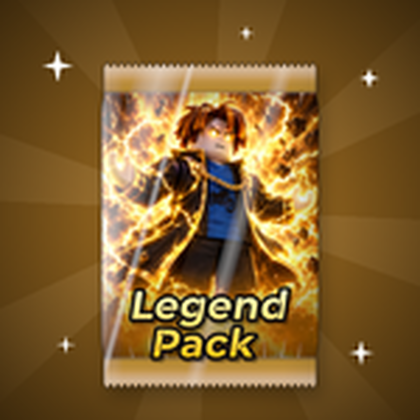
Legend Pack
The store icon is a golden pack wrapper with a flaming character printed on the front — the same pack the DISCORD code grants.
If you are still finding your feet, the beginner guide and the packs guide cover how packs and cards fit into the wider progression — and the Codes page tracks the current working list whenever you want to redeem more.
Related Guides
Codes, Rewards and How to Redeem Them
The current Steal a Superpower code list with rewards and status, and the exact steps to redeem codes.
Packs Guide: Sources and What's Inside
Where each ability pack comes from, what cards it can contain, and which packs are worth your cash.
All Superpowers: Every Confirmed Card
A complete confirmed list of superpower cards, their rarity tiers, and the pack each one comes from.
What to Do First
A five-step opening walkthrough that connects packs, base cash, fighting, and your first boss win.